Collect signups
Embed widget
Add a signup form to any website with a single script tag. The widget matches your waitlist's brand colors automatically.
Getting the embed code
- Go to your waitlist dashboard and open the waitlist you want to embed.
- Click the "Embed" button or navigate to the embed section.
- Copy the embed snippet. It has two parts:
<script src="https://getwaitly.com/widget.js" defer></script>
<div class="gw-widget" data-waitlist-id="YOUR_WAITLIST_ID"></div>
Use the waitlist's public ID (not the slug) in data-waitlist-id. The popup variant uses a trigger button instead of the widget <div>.
Pasting on your site
Paste both parts where you want the form to appear on any HTML page. The script can go just before the closing </body>tag; the widget renders a signup form that matches your waitlist's colors and font.
The form appears inline where you place the <div class="gw-widget">. To control the position, place that div inside a container with your desired width and alignment.
Platform guides
Carrd
Add an Embed element to your page. Paste the script tag into the embed code box. Set the height to at least 300px.
Webflow
Add an Embed element from the Add panel. Paste the script tag. The widget will render at that spot on your page.
WordPress
Use a Custom HTML block in the editor. Paste the script tag. Some themes may need a Codeblock or a plugin like "Insert Headers and Footers" for global placement.
Framer
Add an Embed component from the Add menu. Paste the script tag into the embed settings.
Next.js / React
Don't drop a raw <script> tag into layout.tsx — use next/scriptso the script loads once and only where it's needed. Render the container <div> on the page where the form should appear, and load the script alongside it:
import Script from "next/script";

export default function Page() {
  return (
    <>
      <div className="gw-widget" data-waitlist-id="YOUR_WAITLIST_ID" />
      <Script
        src="https://getwaitly.com/widget.js"
        strategy="afterInteractive"
      />
    </>
  );
}
afterInteractive (the default) loads soon after hydration. If the form is a secondary element that can wait, use strategy="lazyOnload" to load it during browser idle time. Either way, scope the <Script>to the page or nested layout that renders the form rather than the root layout, so it doesn't load on every route.
The widget fills the container on the client and watches for containers that React adds, so it works with client-rendered routes and won't cause hydration mismatches.
What the widget looks like
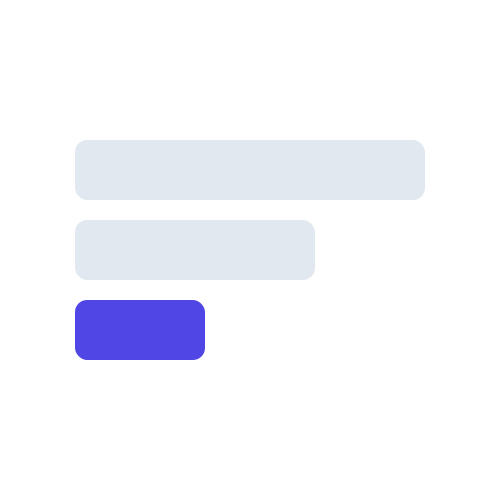
The widget renders a signup form with an email input and any contact fields or questions you added, plus a submit button. It uses your waitlist's accent color for the button and your chosen font. When someone signs up, they see a success message with confetti and their queue position.
Limitations
- The Mini and Docked display types collect email only; questions and terms are hidden in those variants.
- The widget inherits font and colors from your waitlist settings. It cannot be styled independently.
See it running live on the demo product page.