article
How to Add a Waitlist to Adalo (Hosted Page or Web View)
Adalo does not run custom JavaScript, so add a GetWaitly waitlist with the hosted page — shown in a Web View component or linked from a button.

Adalo lets you build mobile and web apps without code. Before you launch, you still want a waitlist — and Adalo's own data collection is tied to app records, not a public signup page with queue positions and referral links.
Adalo apps do not run arbitrary custom JavaScript, so the GetWaitly widget script cannot run inside them. The reliable method is GetWaitly's hosted page, shown in a Web View component or linked from a button.
The short answer
Publish GetWaitly's hosted page, then display it in an Adalo Web View component or link to it. No code, no script — just a URL. Total time: about two minutes.
Why not the widget script?
Adalo renders native components from your data, not arbitrary HTML and JavaScript. The GetWaitly embed widget relies on a script tag, so it has nowhere to run. The hosted page sidesteps this: it is a complete signup page served by GetWaitly, so a Web View can display it without executing any of your code.
Option 1 — Show the hosted page in a Web View
- Publish your hosted page. In your GetWaitly dashboard, open the waitlist and publish the hosted page. Set the headline, description, accent color, and font. Your page lives at:
https://getwaitly.com/w/YOUR_WAITLIST_ID
- Add a Web View component in Adalo and point it at that URL.
- Give it height so the form has room. If it looks cramped on mobile, use the link option instead.
Option 2 — Link to the hosted page
Embedding a form in a small component is often awkward on a phone. A link is cleaner:
- Add a button or a link action to your Adalo screen.
- Set it to open the hosted page URL.
The signup happens on GetWaitly's polished page, and submissions land in your dashboard.
Step 3 — Test it
Open the app and submit a test email. Confirm the subscriber appears in your GetWaitly dashboard with the right queue position.
What you get from the hosted page
- A styled signup form matching your accent color and font
- Optional name, phone, and custom questions
- Referral links and queue positions (Starter plan and above)
- Broadcast emails with open and click tracking (Starter and above)
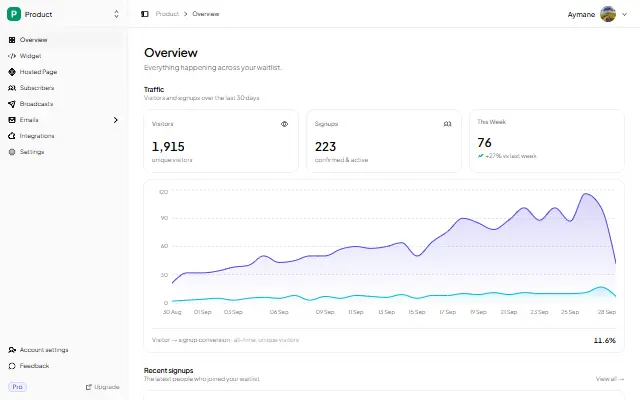
- Analytics: views, signups, conversion rate, 30-day trend
- CSV export, so you can move the list into Adalo collections later
FAQ
Can I embed the GetWaitly widget in Adalo?
Not the script-based widget — Adalo does not run custom JavaScript. Use the hosted page in a Web View component, or link to it.
Does the Adalo Web View collect emails directly?
Yes. The embedded hosted page is a real GetWaitly form. Submissions land in your waitlist dashboard with referrals and analytics, exactly as they would on any other site.
Why is my Adalo Web View blank or short?
Web Views need an explicit size. Give the component more height, or switch to the link option, which is usually better on mobile.
Is it free?
Yes. The free plan includes the hosted page, analytics, and up to 100 subscribers. Referrals and broadcasts start at $5/mo.
Related reading
- How to Add a Waitlist to Glide — the same hosted-page approach
- How to Add a Waitlist to Bubble — another script-blocking builder
- Add a Waitlist to Your Website: Every Platform Guide
Collect signups while you build in Adalo — free, no code. Start your waitlist →

written by
Aymane E.
Founder of GetWaitly. I write about validating ideas, pre-launch, and growth from building a waitlist tool as a solo founder.
Follow on X