article
How to Add a Waitlist with Airtable (Forms vs a Waitlist Tool)
An Airtable Form collects rows but has no queue, referrals, or emails. How to run a real waitlist with GetWaitly and sync the subscribers into Airtable.

Airtable is a database, not a website. If you are using it to track people interested in your product, you have probably considered an Airtable Form. It works — but a waitlist is more than a row in a table.
Here is the honest trade-off, and how to connect Airtable to a real waitlist if you want both.
The short answer
An Airtable Form collects signups into a table, but it has no queue position, no referral links, and no broadcast emails. For a pre-launch waitlist, use a dedicated waitlist tool and sync to Airtable — manually with CSV, or automatically with the API, webhooks, or Zapier.
Option 1 — An Airtable Form
What it is: A shareable form that writes rows into an Airtable table.
When it works: You want the signups in Airtable and nothing more.
Where it falls short: No queue position, no referral loop, no branded confirmation or broadcast emails, no waitlist analytics. You would rebuild all of that yourself.
Best for: Internal forms and data collection — not a public, growing waitlist.
Option 2 — GetWaitly for the waitlist, Airtable for the data
Put a real waitlist in front of your audience, then sync the subscribers into Airtable.
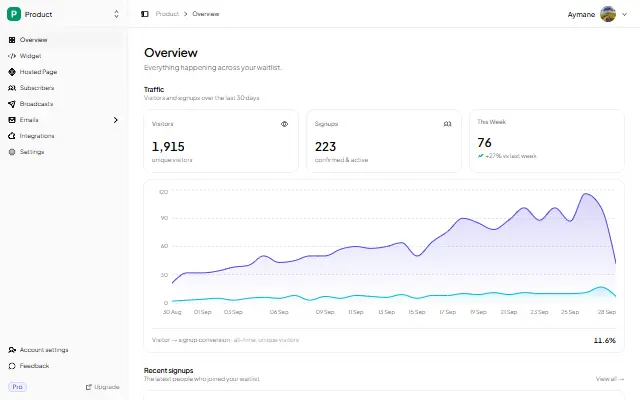
- Collect signups with GetWaitly. Embed the widget on your site, or publish the hosted page if you do not have one. You get the form, queue positions, referral links, and broadcast emails out of the box.
- Sync to Airtable, three ways:
- CSV export (any plan): download subscribers and import them into Airtable whenever you like.
- API (free on every plan): pull waitlists and subscribers programmatically into Airtable via a script or an automation.
- Webhooks or Zapier (Pro): push each new signup into Airtable automatically, in real time.
Comparison
| Approach | Queue & referrals | Broadcast emails | Analytics | Syncs to Airtable |
|---|---|---|---|---|
| Airtable Form | No | No | No | Native |
| GetWaitly + Airtable | Yes (Starter+) | Yes (Starter+) | Yes | CSV, API, or Zapier |
FAQ
Can Airtable be my waitlist?
You can collect emails with an Airtable Form, but you would have to build referrals, queue positions, and email sending yourself. For a public waitlist, a dedicated tool is faster and better.
How do I sync GetWaitly to Airtable?
Export subscribers as CSV and import them, pull them with the free API, or push new signups automatically with webhooks or Zapier on the Pro plan.
Is the GetWaitly API free?
Yes — the management API is free on every plan, including the free plan. Webhooks and the Zapier app are Pro and above.
What about the other way around — Airtable to GetWaitly?
You can import an existing list into GetWaitly as CSV (up to 5,000 rows at a time), so a table of emails you already have becomes a real waitlist.
Related reading
- Which Form Builder for a Waitlist?
- Should You Build Your Own Waitlist?
- Add a Waitlist to Your Website: Every Platform Guide
Keep Airtable for the data, and let a real waitlist do the collecting. Start your waitlist →

written by
Aymane E.
Founder of GetWaitly. I write about validating ideas, pre-launch, and growth from building a waitlist tool as a solo founder.
Follow on X