article
How to Add a Waitlist to Linktree (Link the Hosted Page)
Linktree blocks custom scripts, so add a GetWaitly waitlist by linking the hosted page. One tap, full branding, no code.

Linktree puts all your links in one place. It is where a lot of people send traffic — from an Instagram bio, a TikTok, a podcast. If you are launching something, a waitlist belongs there too.
Linktree does not run custom JavaScript, so the GetWaitly widget cannot render inside it. But you do not need it to: a link to GetWaitly's hosted page works perfectly, and it is the right method for a link-in-bio anyway.
The short answer
Publish GetWaitly's hosted page, then add it as a link on your Linktree. One tap opens a polished signup page. No code, no embed.
Step 1 — Publish your hosted page
In your GetWaitly dashboard, open the waitlist and publish the hosted page. Set the headline, description, accent color, and font. Your page lives at:
https://getwaitly.com/w/YOUR_WAITLIST_ID
Copy that URL.
Step 2 — Add it to Linktree
- Open your Linktree editor.
- Add a new link.
- Set the title (for example, "Join the waitlist") and paste the hosted page URL.
- Save and publish.
That is it. The link opens a full signup page with your branding, queue position, and referrals.
Step 3 — Test it
Tap the link on your live Linktree and submit a test email. Confirm the subscriber appears in your GetWaitly dashboard.
Why a hosted page is the right fit here
- No script. Link-in-bio platforms block custom JavaScript, so the widget cannot run. The hosted page needs none.
- One tap. Visitors land on a focused page with a single job: sign up.
- Full branding. The page matches your accent color and font, even though it is not embedded.
Make the link convert
- Use a clear label: "Join the waitlist", "Get early access", or "Join 1,200 others".
- Put it near the top of your Linktree while you are collecting.
- Turn on referrals so each subscriber gets a link and grows the list for you.
What you get from the hosted page
- A styled signup form matching your accent color and font
- Optional name, phone, and custom questions
- Referral links and queue positions (Starter plan and above)
- Broadcast emails with open and click tracking (Starter and above)
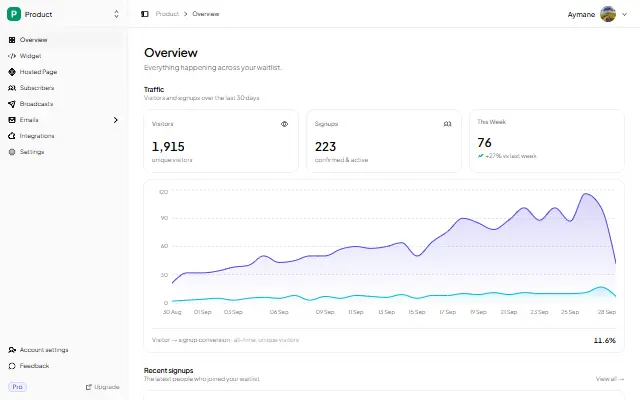
- Analytics: views, signups, conversion rate, 30-day trend
FAQ
Can I embed a waitlist form directly in Linktree?
Not a script-based form — Linktree does not run custom JavaScript. Link to GetWaitly's hosted page instead; it is the standard approach for link-in-bio.
Does the hosted page collect emails?
Yes. It is a real GetWaitly form. Submissions land in your waitlist dashboard with referrals and analytics.
Can I track how many people signed up from Linktree?
Yes. The hosted page tracks views and signups in your dashboard, and you can add a utm_source to the link to see Linktree traffic in your UTM breakdown.
Is it free?
Yes. The free plan includes the hosted page, analytics, and up to 100 subscribers. Referrals and broadcasts start at $5/mo.
Related reading
- How to Add a Waitlist to Beacons — the same approach for another link-in-bio
- How to Create a Waitlist Page (Free, No Code)
- Add a Waitlist to Your Website: Every Platform Guide
Turn your bio traffic into a list — free, no code. Start your waitlist →

written by
Aymane E.
Founder of GetWaitly. I write about validating ideas, pre-launch, and growth from building a waitlist tool as a solo founder.
Follow on X