article
How to Add a Waitlist to Super.so (Notion Sites)
Super turns Notion into a website and blocks custom scripts, so add a GetWaitly waitlist with the hosted page — embedded or linked. Widget on custom-code plans.

Super.so turns a Notion page into a fast, custom-domain website. If you built your site this way, you have probably noticed the same catch as Notion itself: custom JavaScript is limited, so a script-based form is not always an option.
The fix is the same one that works on Notion: use GetWaitly's hosted page.
The short answer
Publish GetWaitly's hosted page, then either embed it with Super's embed block or link to it from a button. If your Super plan supports custom code, you can load the widget instead. No code either way.
Option 1 — Embed the hosted page
- Publish your hosted page. In your GetWaitly dashboard, open the waitlist and publish the hosted page. Set the headline, description, accent color, and font. Your page lives at:
https://getwaitly.com/w/YOUR_WAITLIST_ID
- Embed it in Super. Add an embed to your Notion page (Super renders Notion embeds), pointing at that URL.
- Give it height so the form has room.
Option 2 — Link to the hosted page
Embedding is often cramped on mobile. A link is cleaner:
- Add a button or a callout link on your page.
- Point it at the hosted page URL.
The signup happens on GetWaitly's polished page, and submissions land in your dashboard.
Option 3 — The widget (custom-code plans)
If your Super plan allows custom code, you can embed the GetWaitly widget instead, so the form renders on your own domain:
<script src="https://getwaitly.com/widget.js" defer></script>
<div class="gw-widget" data-waitlist-id="YOUR_WAITLIST_ID"></div>
If it does not render, fall back to the hosted page.
Step 4 — Test it
Open the published site and submit a test email. Confirm the subscriber appears in your GetWaitly dashboard.
What you get
- A styled signup form matching your accent color and font
- Optional name, phone, and custom questions
- Referral links and queue positions (Starter plan and above)
- Broadcast emails with open and click tracking (Starter and above)
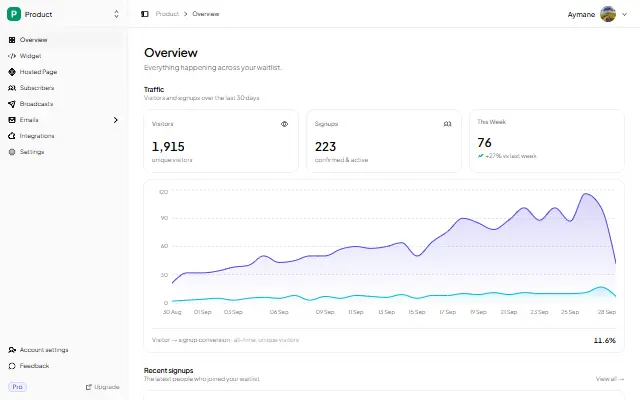
- Analytics: views, signups, conversion rate, 30-day trend
FAQ
Can I embed the GetWaitly widget in Super?
On plans that allow custom code, yes. Otherwise use the hosted page — the same approach that works on Notion.
Does the Super embed collect emails directly?
Yes. The embedded hosted page is a real GetWaitly form. Submissions land in your waitlist dashboard with referrals and analytics.
Why is my Super embed blank or short?
Notion and Super give embeds a limited height. Drag the block taller, or use the link option instead.
Is it free?
Yes. The free plan includes the hosted page, analytics, and up to 100 subscribers. Referrals and broadcasts start at $5/mo.
Related reading
- How to Add a Waitlist to Notion — the same hosted-page approach
- Add a Waitlist to Your Website: Every Platform Guide
- How to Create a Waitlist Page (Free, No Code)
Collect signups on your Super site — free, no code. Start your waitlist →

written by
Aymane E.
Founder of GetWaitly. I write about validating ideas, pre-launch, and growth from building a waitlist tool as a solo founder.
Follow on X