article
Waitlist Use Cases: What to Use a Waitlist For
Every use case for a waitlist — product launches, early access and betas, pre-orders and drops, course launches, and mobile apps — plus which features matter for each.

Most people think a waitlist is for one thing: a SaaS product that is not ready yet. That is the most common use case, but it is far from the only one. A waitlist is really a way to collect intent — emails from people who want something — and that fits almost any launch.
Here is every use case worth running a waitlist for, and which features matter for each.
The short answer
Use a waitlist whenever you need to (a) collect emails before something exists or opens, (b) gauge demand before committing, or (c) notify people at the right moment. The most common cases are product launches, early access and betas, pre-orders and drops, course launches, and mobile app launches.
Waitlist use cases at a glance
| Use case | What it does | Features that matter | Guide |
|---|---|---|---|
| Product pre-launch | Collect signups before a SaaS launch | Hosted page or widget, referrals, broadcasts | Pre-launch playbook |
| Early access / beta | Collect interest, invite in waves | Queue, referrals, double opt-in, broadcasts | Early-access waitlist |
| Pre-orders & drops | Gauge demand, notify at launch or restock | Hosted page, broadcasts, referrals | Pre-order waitlist |
| Course launch | Warm an audience before enrollment opens | Hosted page, referrals, email sequence | Course-launch waitlist |
| Mobile app launch | Collect users before the App Store listing | Hosted page, referrals, broadcasts | App-launch waitlist |
| Audience building | Turn scattered followers into an owned list | Widget on any site, referrals | Build an audience |
| Idea validation | Test demand before you build anything | Hosted page, signup threshold | Validate an idea |
The three jobs a waitlist does
Every use case above is one of three jobs:
- Collect — capture emails before something exists or opens.
- Validate — measure demand before you spend on inventory, code, or recording.
- Notify — email the right people at the right moment (launch, drop, restock, enrollment).
If your situation needs one of those, a waitlist fits.
Which features matter for which use case
- Hosted page — essential when you have no website yet. Every use case benefits.
- Embeddable widget — for putting the form on a site you already have (landing page, store, blog).
- Referrals & queue — the growth loop. Best for early access, drops, apps, and courses where "get in first" is a reason to share.
- Broadcast emails — the notify job. Essential for drops, restocks, launch day, and enrollment.
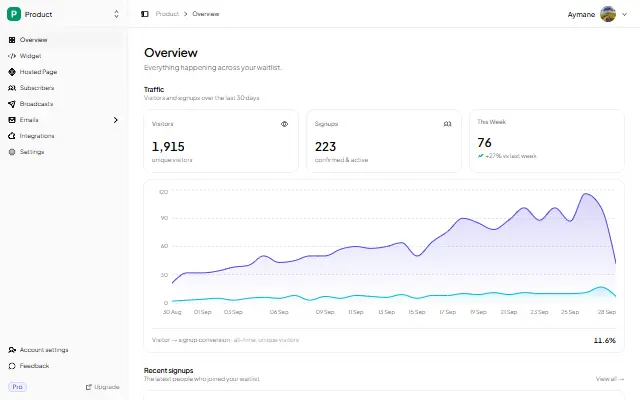
- Analytics — see views, signups, and conversion so you know if the problem is traffic or the page.
- API / webhooks — if you are wiring signups into another system.
When a waitlist is not the right tool
A waitlist is not a website builder, a checkout, or a referral suite. If you need to take payment, run post-launch commissions, or build a full multi-page site, use a store, referral software, or a page builder — and add a waitlist alongside. The honest boundaries are in Who GetWaitly Is Not For.
FAQ
What is a waitlist used for?
Collecting emails from people who want something before it is available — a product, a beta, a drop, a course, an app — so you can measure demand and notify them later.
Can a waitlist be used for something other than software?
Yes. Pre-orders for physical products, product drops, back-in-stock alerts, course launches, and event interest are all common. The mechanic is the same: collect intent, then email.
Is a waitlist the same as an email list?
A waitlist is a specific kind of email list — one built around a pending launch, usually with a queue and referrals. Every waitlist is an email list, but not every email list is a waitlist.
How many use cases should I run at once?
One. Pick the use case that matches your launch, run it well, then reuse the same tool for the next one.
Related reading
- Add a Waitlist to Your Website: Every Platform Guide — the platform how-tos
- Waitlist Page Examples & Templates (Free to Copy) — copy to adapt
- 7 Best Waitlist Tools for Solo Founders, Indie Hackers & Startups — the tool comparison
- How Long Does It Take to Grow a Waitlist? — realistic timelines
Whichever use case is yours, it starts the same way — free, in five minutes. Start your waitlist →

written by
Aymane E.
Founder of GetWaitly. I write about validating ideas, pre-launch, and growth from building a waitlist tool as a solo founder.
Follow on X