article
How to Add a Waitlist to Unicorn Platform (Embed)
Add a GetWaitly waitlist to a Unicorn Platform landing page with a custom HTML element — no coding — plus a hosted-page fallback.

Unicorn Platform is a landing-page builder made for startups — components, hosting, and analytics in one place. It supports custom HTML and embeds, so the GetWaitly widget fits into a page without any development.
The short answer
Add a Custom HTML / Embed element to your Unicorn Platform page, paste the two-line GetWaitly snippet, and publish. The waitlist is live in about five minutes.
What you need
- A GetWaitly account with a waitlist created (the free plan covers 100 subscribers).
- A Unicorn Platform site you can edit and publish.
Step 1 — Copy the embed snippet
In your GetWaitly dashboard, create a waitlist and set its headline, accent color, and font. Open Settings → Widget and copy the snippet:
<script src="https://getwaitly.com/widget.js" defer></script>
<div class="gw-widget" data-waitlist-id="YOUR_WAITLIST_ID"></div>
The widget inherits your waitlist's branding, so it matches your page.
Step 2 — Add it to Unicorn Platform
- Open the page in the editor.
- Add an Embed / Custom HTML element where the form should appear.
- Paste both lines from Step 1.
- Publish.
Step 3 — Test it
Open the live page and submit a test email. Confirm the subscriber appears in your GetWaitly dashboard.
If the form does not show, check that both lines were pasted and the element has enough width.
The fallback: use the hosted page
If custom HTML is not available on your plan, publish GetWaitly's hosted page — a complete signup page served by GetWaitly.
- Publish the hosted page at
getwaitly.com/w/your-id. - Link a button to that URL, or embed it in an iframe.
What you get
- A styled signup form matching your accent color and font
- Optional name, phone, and custom questions
- Referral links and queue positions (Starter plan and above)
- Broadcast emails with open and click tracking (Starter and above)
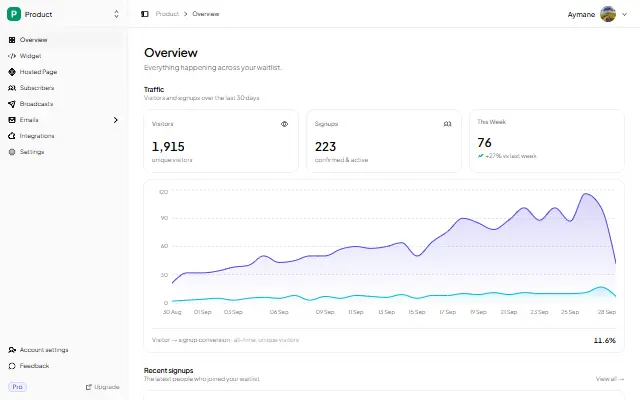
- Analytics: views, signups, conversion rate, 30-day trend
FAQ
Can I add a waitlist to Unicorn Platform without coding?
Yes. You paste a snippet into a custom HTML element — no programming. If that element is unavailable, link to the hosted page.
Why is my Unicorn Platform embed blank?
Usually a missing line or a zero-height element. Re-paste both lines, give the element height, and if it still fails use the hosted-page iframe.
Is it free?
Yes. The free plan includes the widget, a hosted page, analytics, and up to 100 subscribers. Referrals and broadcasts start at $5/mo.
Related reading
- How to Add a Waitlist to Any Website
- Add a Waitlist to Your Website: Every Platform Guide
- How to Create a Waitlist Page (Free, No Code)
Ship the landing page, then the waitlist — free, no code. Start your waitlist →

written by
Aymane E.
Founder of GetWaitly. I write about validating ideas, pre-launch, and growth from building a waitlist tool as a solo founder.
Follow on X